Enabling Window Tabs per Device
By default, Syslog Viewer uses window tabs to separate syslog messages captured from different devices (IP addresses). Each tab displays syslog messages captured from the specific device.
You can disable window tabs so that Syslog Viewer displays all syslog messages in a single window, even if they were captured from more than one device.
Using tabs can be useful, for example, in the following cases:
|
■
|
Opening a syslog file that contains syslog messages captured from multiple devices. |
|
■
|
Capturing syslog messages from multiple devices. |
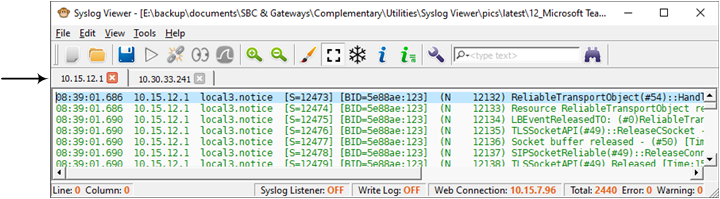
The following figure shows an example of an opened syslog file that contains syslog messages captured from two devices - 10.15.12.1 and 10.30.33.241. Syslog Viewer creates a tab for each device and displays the syslog messages under the respective tab:
|
➢
|
To enable window tabs per connected device: |
|
1.
|
On the toolbar, click the Options  icon; the Options dialog box appears. icon; the Options dialog box appears. |
|
2.
|
Under the Multiple Devices group, select the 'Use multiple tabs to separate between devices' check box. |
|
●
|
When opening multiple syslog files, Syslog Viewer always creates a tab for each file. |